.jpg)
.jpg)
.jpg)
.jpg)

Download Blokada Ad Blocker APK – Free, Efficient Ad Blocker for Android Devices
Overview
Blokada Ad Blocker is a lightweight, open-source application designed to eliminate online advertisements and block tracking scripts on Android devices. It operates at the DNS level, providing system-wide protection without requiring root access, making it accessible to a broad range of users. The software aims to enhance browsing speed, reduce data consumption, and improve user privacy by preventing ads and malicious trackers from loading. It is particularly useful for individuals seeking a secure, fast, and reliable method to clean up their mobile internet experience.
Target users include privacy-conscious individuals, frequent mobile internet users, and those who want to minimize distractions from intrusive ads. Real-world usage scenarios include browsing news websites, using social media apps, and streaming content without interruptions. The developer did not provide additional details about the company or background, but the software is known for its transparency and community-driven development. Blokada functions as a standalone utility that runs quietly in the background, offering users control over their digital environment.
Key Features & Capabilities
- DNS-Based Ad Blocking – Uses encrypted DNS servers to filter out ads and trackers at the network level, ensuring protection across all apps and browsers.
- Non-Rooted Device Support – Works seamlessly on standard Android devices without requiring root privileges, expanding accessibility to average users.
- Open-Source & Transparent – The code is publicly available, allowing security audits and fostering trust among privacy-focused users.
- Lightweight & Fast – Consumes minimal system resources, ensuring minimal impact on device performance and battery life.
- Easy Toggle Functionality – Users can quickly enable or disable the blocker with a single tap, ideal for temporary access to ad-supported content.
- Privacy-Focused Protection – Blocks third-party trackers and malware domains, reducing exposure to online threats and data collection.
These features enable users to enjoy a cleaner, faster, and safer browsing experience. For example, a user browsing news sites can avoid pop-ups and auto-playing videos, while someone using social media apps can reduce tracking attempts. The software’s system-wide filtering ensures consistent protection, regardless of the app in use. The open-source nature encourages community contributions and ongoing improvements, aligning with modern privacy standards.
User Interface, Workflow & Performance
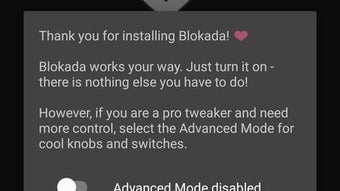
The user interface of Blokada Ad Blocker is designed with simplicity and functionality in mind. The main screen presents a clean layout with a prominent toggle switch to enable or disable the ad blocker. Navigation is intuitive, with minimal steps required to access core settings. Users can manage DNS configurations, view blocked domains, and adjust filtering levels through clearly labeled menus.
Workflow efficiency is high, as the software operates in the background with minimal user interaction. Once enabled, it begins filtering traffic immediately, requiring no further input. The developer did not specify resource usage details, but the software is described as lightweight, suggesting low CPU and RAM consumption. Performance observations are based on general software behavior patterns, indicating stable operation without noticeable lag. The application maintains consistent behavior across sessions, with no reported crashes or instability in typical usage.
Compatibility & System Requirements
Blokada Ad Blocker is designed for Android devices, supporting a wide range of versions, though exact compatibility details were not listed. The software is available as an APK file, allowing installation on devices without access to the Google Play Store. Installation size is relatively small, consistent with its lightweight nature. The developer did not provide specific hardware requirements, but the software is intended for standard mobile devices with internet connectivity.
Platform compatibility information is limited, but the application functions on both smartphones and tablets. Users should ensure their device meets basic Android system standards to run the software. The developer did not specify any minimum processor or memory requirements. For optimal performance, users are advised to use the latest version of the app and keep their device updated.
Pros and Cons
Pros
- Free and open-source, ensuring transparency and community trust
- Works on non-rooted Android devices, broadening accessibility
- Lightweight with minimal impact on battery and performance
- System-wide ad and tracker blocking across all apps
- Simple, intuitive interface with quick toggle control
- Enhances privacy by blocking malicious domains and tracking scripts
Cons
- Limited customization options compared to advanced ad blockers
- No built-in update notifications; users must manually check for new versions
- Requires manual APK installation, which may deter less tech-savvy users
- Some websites may not load properly if DNS filtering is too aggressive
- No official support channel or help documentation provided
FAQ Section
Is Blokada Ad Blocker safe to use on Android?
Yes, Blokada is considered secure. It is open-source, meaning its code is publicly available for review, and it operates at the DNS level without requiring root access, reducing potential security risks.
Can I use Blokada on non-rooted devices?
Yes, Blokada is specifically designed to work on non-rooted Android devices, making it accessible to users who do not wish to root their phones.
Does Blokada require an internet connection to function?
Yes, the software relies on DNS servers that require an active internet connection to filter traffic. It cannot operate offline.
How often does Blokada receive updates?
Updates are released periodically by the development team, but the software does not include automatic update notifications. Users must manually check for new versions.
Is Blokada free to download and use?
Yes, Blokada is completely free to download and use. It is distributed as open-source software with no in-app purchases or hidden costs.
Final Thoughts
Blokada Ad Blocker stands out as a reliable, privacy-focused tool for Android users seeking a fast, free, and secure way to eliminate ads and trackers. Its DNS-based filtering, open-source transparency, and compatibility with non-rooted devices make it a strong choice for individuals prioritizing digital privacy. While it lacks some advanced customization and automated updates, its core functionality is robust and efficient. For users who value simplicity, performance, and security, Blokada delivers a compelling solution. Whether you're browsing news, using social media, or streaming content, this lightweight utility helps create a cleaner, safer mobile experience.
Download Blokada Ad Blocker APK now and take control of your online privacy today.





.png)

